Bring your reference.
Explore its subject, colors and composition, then edit the direction.

YOUR IDEAS. MORE POSSIBILITIES.
Turn ideas and reference images into artwork. Choose your model,
see the credit cost, and refine your results in one place.
A little inspiration. A direction that’s yours.
Explore models & providers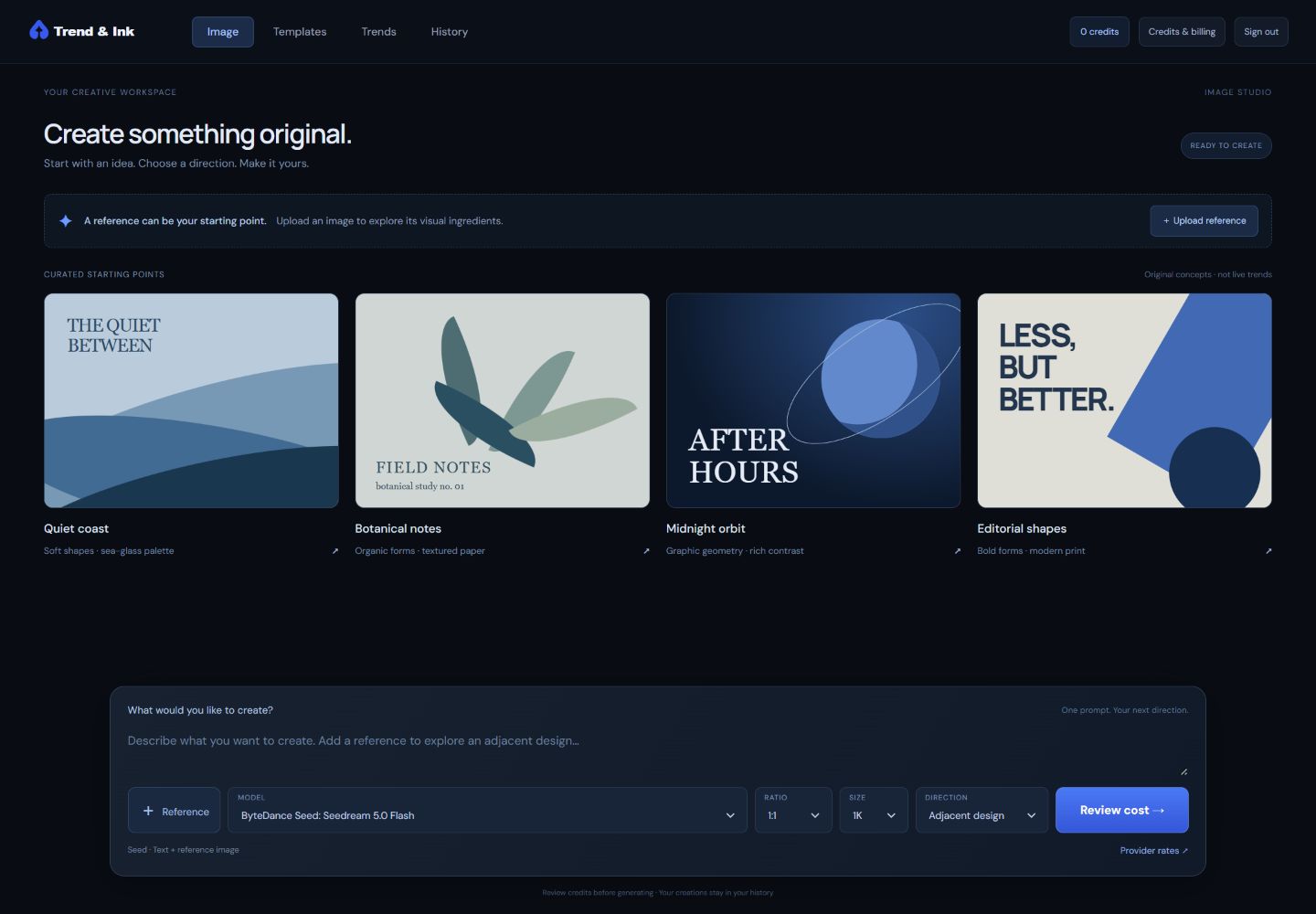
Explore its subject, colors and composition, then edit the direction.
Choose a supported image model and review its credit cost up front.
Try an adjacent variation. Refine your prompt. Keep your versions together.
Save PNG and PDF files at the output’s native dimensions.
MODELS & INTEGRATIONS
Choose the image model that fits your next idea.
Keep your references, creations and credit costs in one workspace.

Supported models and current availability are shown in the workspace.
Independent workspace. Logos identify supported services, not endorsement.
FROM INSPIRATION TO ORIGINAL DIRECTION
01 — REFERENCE
Bring a reference image, describe an idea, or choose a curated starting point. Explore the visual ingredients and decide what matters to you.
Subject · Style · Palette · Composition
02 — ORIGINAL VARIATIONS
Keep the broad ingredients you love while changing the arrangement, palette or details. Choose a model, review the credits, and explore an original adjacent design.
Your prompt. Your model. Your next version.
03 — REFINE & DOWNLOAD
Return to a saved creation, use it as a new reference, and explore the next version. When you’re ready, download a PNG or PDF and inspect your final file.
Saved history · Linked versions · PNG & PDF
Original directionSaved in your history
✓Adjacent variationLinked to your original
↗A LITTLE ROOM TO EXPERIMENT
Credits that work across supported models.
See what each creation uses before you begin.
$19.99 / month
500 weighted credits each month
Seedream 5.0 Flash · about 250 at 1K
Recraft 4.1 Flash · up to 500 at default size
FLUX.1 schnell · up to 500 at 1024 × 1024
Monthly credits expire at billing-period end. Top-up credits carry forward. Model costs vary; no auto-recharge. Billing activation is pending.
A FEW THINGS TO KNOW
Creator includes 500 weighted credits for $19.99 per month. The workspace shows a model-specific credit quote before you generate. Monthly credits expire at the billing-period end. Optional $10 packs add 500 top-up credits that carry forward. No automatic top-ups.
Yes. Upload a PNG, JPEG or WebP and use optional AI analysis to describe its visual ingredients. Edit those attributes and choose a reference-compatible model to explore original adjacent variations. This is generative creation, not exact pixel editing.
Seedream 5.0 Flash and Recraft 4.1 Flash are integrated through OpenRouter; FLUX.1 schnell is integrated through fal. Generation requires credits and current provider availability. GPT Image 2 and Nano Banana 2.1 currently show rates only, with generation disabled.
Completed creations can be downloaded as PNG images and PDFs sized from their native pixel dimensions at 300 DPI. Always inspect the output resolution and quality for your intended use.
No. Starting points are curated, and the illustrations on this page show the creative workflow. They are not live demand rankings or promised customer results. A verified trend feed is not connected yet.
Review your chosen provider’s terms and the rights in your inputs and outputs. Avoid copied artwork, protected characters and brands, and inspect each final design. Trend & Ink does not guarantee commercial suitability or sales.

MAKE SOMETHING THAT’S YOURS
From a spark of inspiration to your next original direction.
Explore preview